


Imagine stepping off a plane in bustling Incheon Airport, where your iPhone instantly connects without the need to juggle those tiny SIM cards—thanks to eSIM’s seamless magic. This digital revolution, pioneered by Apple, has transformed travel connectivity, and at ESIMKOREA.net. We’re setting new standards with seamless, instant Korea coverage for iPhone users everywhere. In this guide, you’ll find a fully detailed list of every device that supports eSIM.
List of Apple Devices that Support eSIM
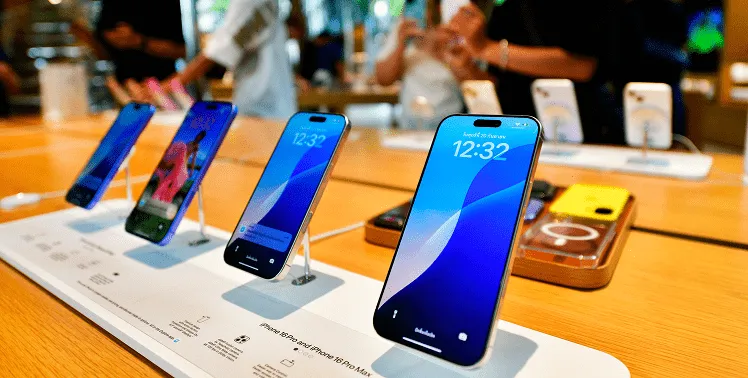
List of Apple Phones that Support eSIM
According to ESIMKOREA.net, all iPhone models from the iPhone XR and XS Max to the latest iPhone 17 series support eSIM. The current available models that support eSIM are as follows:
Models Released in 2018
- iPhone XR
- iPhone XS
- iPhone XS Max
These three iPhone models were the first to introduce dual SIM features, enabling you to use one physical SIM and one eSIM simultaneously. This unique feature is especially convenient for travelers, as it allows you to keep your primary number active even when adding a local data plan via eSIM for your trip.
We recommend using IOS 13.3 or later for the best user experience for eSIM. Older iOS versions may have limited or unstable eSIM installation and management features. Therefore, ensure to update your device to the latest iOS version before activating an eSIM.
Models Released in 2019
- iPhone 11
- iPhone 11 Pro
- iPhone 11 Pro Max
Models Released in 2020
- iPhone SE (2nd generation)
- iPhone 12 mini
- iPhone 12
- iPhone 12 Pro
- iPhone 12 Pro Max
Models Released in 2021
- iPhone 13 mini
- iPhone 13
- iPhone 13 Pro
- iPhone 13 Pro Max
Starting with the iPhone 13 series, Apple introduced the ability to activate two eSIMs simultaneously in addition to one physical SIM. This is highly useful for separating work and personal numbers or for using multiple data plans while traveling.
Models Released in 2022
- iPhone SE (3rd generation)
- iPhone 14
- iPhone 14 Plus
- iPhone 14 Pro
- iPhone 14 Pro Max
Apple removed the physical SIM card slot starting with the iPhone 14 series sold in the U.S., shifting to models that support only eSIMs.However, models sold outside the United States still include a physical SIM slot.
Models Released in 2023
- iPhone 15
- iPhone 15 Plus
- iPhone 15 Pro
- iPhone 15 Pro Max
- iPhone 16
- iPhone 16 Plus
- iPhone 16 Pro
- iPhone 16 Pro Max
- iPhone Air
- iPhone 17
- iPhone 17 Pro
- iPhone 17 Pro Max
The iPhone 17 Pro and 17 Pro Max are SIM-only models in mainland China. Still, they are released as eSIM-only models in Bahrain, Canada, Guam, Japan, Kuwait, Mexico, Oman, Qatar, Saudi Arabia, the UAE, and the United States.


List of Apple Pads that Support eSIM
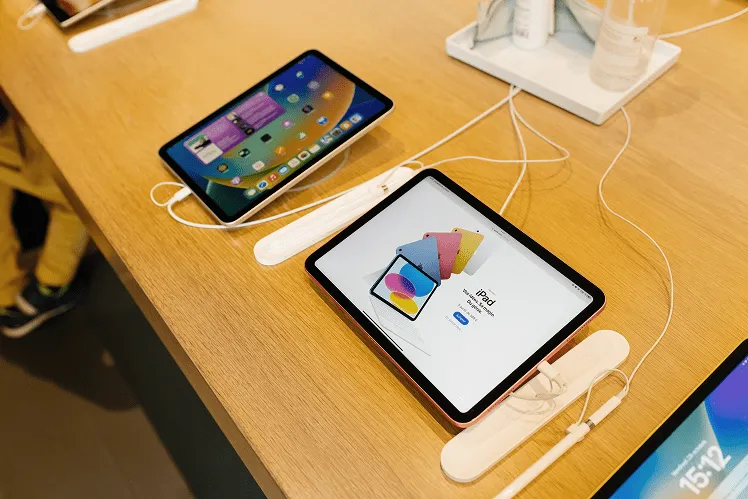
Apple iPads also support eSIM, but only on cellular models. Wi-Fi only models do not have eSIM capability, so be sure to check before purchasing.
iPad Pro
- iPad Pro 11″ (1st generation, 2018)
- iPad Pro 12.9″ (3rd generation, 2018)
- iPad Pro 11″ (2nd generation, 2020)
- iPad Pro 12.9″ (4th generation, 2020)
- iPad Pro 11″ (3rd generation, 2021)
- iPad Pro 12.9″ (5th generation, 2021)
- iPad Pro 11″ (4th generation, 2022)
- iPad Pro 12.9″ (6th generation, 2022)
The 2024 M4 iPad Pro and M2 iPad Air cellular models have completely removed the physical SIM tray and now support eSIM only. This applies not only in the United States but across all regions worldwide.
iPad Air
- iPad Air (3rd generation, 2019)
- iPad Air (4th generation, 2020)
- iPad Air (5th generation, 2022)
- iPad Air 11″ (M2, 2024)
- iPad Air 13″ (M2, 2024)
- iPad Air 11″ (M3, 2024)
- iPad Air 13″ (M3, 2024)
iPad mini
- iPad mini (5th generation, 2019)
- iPad mini (6th generation, 2021)
- iPad mini (7th generation, 2024)
iPad (Standard Model)
- iPad (7th generation, 10.2″, 2019)
- iPad (8th generation, 10.2″, 2020)
- iPad (9th generation, 10.2″, 2021)
- iPad (10th generation, 10.9″, 2022)
- iPad (A16, 10.9″, 2024)
Exceptions for Models Sold in China, Hong Kong, and Macau

Before purchasing an eSIM, there’s an important detail to check. iPhones bought in mainland China do not support eSIM, and most models purchased in Hong Kong or Macau also lack eSIM functionality, with only a few exceptions.
iPhones Purchased in Mainland China
- All the iPhones manufactured in China (no exception)
iPhone Purchased in Hong Kong and Macau
- Most of the iPhones do not support eSIM
- Exceptions (eSIM supported): iPhone 13 mini, iPhone 12 mini, iPhone SE (2020), iPhone XS
These limitations are due to China’s telecommunications policies. iPhones sold in these regions are released with a dual physical SIM configuration, providing two physical SIM card slots instead of eSIM support.
Therefore, if you plan to purchase an iPhone in China, Hong Kong, or Macau, or already have one, be aware that you cannot use eSIM while traveling abroad. You will need to prepare a physical SIM card or a pocket WiFi device instead.
📱 How to check eSIM compatibility for your device
You can verify if your device is eSIM compatible to use eSIM from ESIMKOREA.net. and the steps are as follows:
- Go to [Settings]
- Tap [General] > [About]
- Scroll down to view the device’s Serial Number and IMEI for your primary and secondary SIM cards.
- If you see two IMEI numbers, your device supports eSIM
You can also dial *#06# on your Phone. If the device information appears on the screen showing both the IMEI number and the EID (eSIM identifier), it means your device supports eSIM.
🔒 How to Check Carrier Lock Status
To use an eSIM, your device must be unlocked and compatible with eSIM technology. Here is how to check whether your Apple device is carrier-unlocked.
- Go to Settings → General → About
- Look for the field labeled “Carrier Lock/Network Provider Lock – No SIM restrictions.”
- If you see this message, your device is unlocked
- If you see any other message, your device is locked
If your device is carrier-locked, you will need to contact your current carrier to request an unlock.
How to Activate an eSIM on iPhone
After confirming your device’s compatibility, the next step is to learn how to activate your device. In this section, we will introduce you to four different ways you can activate your iPhone.
Activation using QR Code
This is the most common and widely used method for activating an eSIM. It is primarily used when purchasing a travel eSIM, and most eSIM providers, including ESIMKOREA.net, support this method. The QR code scanning method is recommended because it enables you to install the eSIM without needing to install any additional apps.
How to Install an eSIM Using a QR Code
- After purchasing the eSIM, check your email for the QR code.
- On your iPhone, go to Settings → Cellular → Add eSIM.
- Select Use QR Code, then scan the QR code using your camera.
- When the “Cellular Plan Detected” notification appears, tap Continue.
- Tap Add Cellular Plan to complete the installation.
- Assign a name to the eSIM (e.g., “Travel,” “Korea”).
💡 Important Tips
A QR code for eSIM can usually be scanned only once. Avoid deleting the eSIM because reinstalling it may not be possible. If you encounter any issues, please contact your eSIM provider first. Often, simply turning the eSIM on and off again in Cellular settings resolves the problem. It’s best to install your eSIM before your flight to save time; waiting until you reach the airport may require connecting to Wi-Fi just to complete setup.
Manual activation method (by link or app)
During the activation process, if you are unable to scan the QR code, you can manually enter the eSIM information instead.
Manual Entry Method
- Go to Settings → Cellular → Add eSIM.
- Select Enter Details Manually.
- Enter the following information provided by your eSIM provider:
- SM-DP+ Address (Subscription Manager Data Preparation Address): The server address used to download the eSIM profile
- Activation Code: A unique identifier code
- Confirmation Code: An additional verification number (if required)
- Tap Next and follow the on-screen instructions to complete the installation.
Installation via App
Some eSIM providers offer a dedicated app that makes the installation process even easier. For example, Ubigi and Airalo allow you to purchase an eSIM and install it with a single tap directly within their apps.
- Download the eSIM provider’s app from the App Store.
- Create an account and purchase the desired data plan.
- Tap the Install eSIM button within the app.
- You will be automatically redirected to iOS settings, where the installation will proceed.
Installation via Link
This is a newer method: when you click the link sent to you by email or message, the eSIM installation process begins automatically.
*Please note that this method works only in the Safari browser.
Alternatives for Devices That Do Not Support eSIM
iPhones purchased in China and older iPhone models, such as the iPhone 7 or iPhone 6, do not support eSIM. In these cases, you may consider the following alternatives:
Purchase a Physical SIM Card
Advantages
- Can be used on any device
- Access to local carrier services (calls, SMS, data)
- In some countries, physical SIM cards are cheaper than eSIMs
Disadvantages
- Takes time as it must be purchased after arriving at the destination
- Risk of losing your SIM card while swapping
- If you are visiting multiple countries, you need to purchase a new SIM each time
Carrier Roaming Service
You can use the roaming service provided by your home-country carrier. No additional setup or SIM replacement is required, but the cost tends to be quite high.
Advantages:
- Automatically connects without any additional configuration
- You can keep your existing phone number
- Supports calls, texts, and data
Disadvantages:
- Very expensive ($6– $10 per day)
- Limited data allowance
- Risk of unexpected charges
Transatel DataSIM
Another alternative for devices that do not support eSIM is Transatel DataSIM. This is the physical SIM card version offered by the same company behind Ubigi (a Transatel–NTT).
Features of Transatel Data SIM
- Reusable physical SIM card
- Works in over 100 countries
- Online data top-up
- Same networks and speeds as eSIM
How to use it?
- Order the DataSIM card from the Transatel website before departure.
- Insert the delivered SIM card into your device.
- Purchase a data plan online before or during your trip.
- The SIM will activate automatically upon arrival at your destination.
Due to the shipping time requirement, please place your order at least one week before departure.
Travel Smarter with ESIMKOREA.net
We’ve now explored everything from iPhone eSIM compatibility to activation methods and the best eSIM services. As of 2026, all iPhone models from the XS onward support eSIM, and Apple is rapidly moving toward a future without physical SIM cards. That means no more wasting time buying local SIM cards abroad or being surprised by expensive roaming fees.
Why ESIMKOREA.net Is the Best eSIM Choice for Your Korea Trip
1) Tailored for Travelers to Korea
ESIMKOREA.net offers a fully optimized experience for visitors to Korea, featuring 24/7 customer support, secure payment methods, and data plans tailored for popular travel destinations in Korea. This ensures a smooth and stress-free connection from start to finish.
2) Instant eSIM Activation—Perfect for iPhone Users
Receive your QR code within one minute of purchase and activate your eSIM immediately. Whether you buy it before departure or upon arrival at the airport, ESIMKOREA.net allows you to enjoy instant Korea coverage the moment you land—ideal for travelers using eSIM-compatible iPhone models.
3) Affordable and Transparent Pricing
ESIMKOREA.net offers high-value Korea travel data plans that focus on essential features travelers actually need, with no hidden fees, and no unnecessary add-ons—just fast and reliable data at a competitive price.
4) Fast & Reliable Network Performance
Through partnerships with major global and Korean carriers, ESIMKOREA.net provides stable, high-speed connections, ensuring seamless access to Google Maps, KakaoTalk, Instagram, and all your travel apps.
If you’re planning your next international trip, start smart and travel with an ESIMKOREA.net. Enjoy seamless connectivity without dealing with expensive roaming bills or searching for a local SIM card. From the moment you land, you’ll be able to use Google Maps, KakaoTalk, Instagram, and more—freely and instantly.
Frequently Asked Questions (FAQ)
Does the iPhone 7 support eSIM?
No, the iPhone 7 does not support eSIM.
Can I use eSIM on an iPhone purchased in China?
No. All iPhones purchased in mainland China have eSIM features disabled due to government regulations.
Can I use an eSIM and a physical SIM at the same time?
Yes. Most iPhones from the XR onward support Dual SIM, allowing one physical SIM and one eSIM to be active simultaneously.
Can I reinstall an eSIM after deleting it?
In most cases, eSIMs can only be installed once. If an issue occurs, avoid deleting your eSIM and contact your eSIM provider for assistance first.
How many countries does ESIMKOREA.net support?
ESIMKOREA.net currently supports one country: South Korea.
It is a Korea-focused eSIM service offering both region-specific plans for major destinations such as Seoul, Busan, and Jeju, as well as high-quality nationwide eSIM plans with reliable coverage across Korea.
Looking for eSIMs for other countries? Explore the ESIMWORLD.net group, which provides country-specific eSIM services for 18 destinations, including Japan, the USA, France, and Thailand.
Can I use an eSIM on a carrier-locked device?
No. Your device must be carrier-unlocked to use an eSIM.
Leave a Reply