


Imagine landing in Incheon Airport, jet-lagged and eager to dive into Seoul’s vibrant street food scene, only to face the hassle of hunting for a physical SIM card amid crowds and language barriers. Enter “Best eSIM Korea“: the game-changing solution that lets travelers activate high-speed data instantly via a simple QR scan, skipping lines and roaming fees entirely. eSIMs make travel in Korea effortless by providing instant connectivity without the need for physical SIM swaps or roaming fees. Activate your eSIM before arrival and enjoy affordable, reliable data across the country. Now, let’s explore how to choose the best eSIM for your trip to Korea with ESIMKOREA.net
Key Information Summary
| Item | Details |
|---|---|
| Average Cost | 3-day 5GB: $10 7-day unlimited: $23–35 |
| Major Telecom Providers | SK Telecom, KT, LG U+ (eSIM uses one of these three networks) |
| Essential Apps | Naver Map, KakaoMap, Kakao Taxi, and Papago Translate |
| Airport SIM Purchase Locations | Incheon Airport Terminal 1 & 2 Arrivals Gimpo Airport International Terminal |
| eSIM-Compatible Devices | iPhone XS or later, Google Pixel 3 or later, Galaxy S20 or later |
Why is data connectivity essential when travelling in Korea
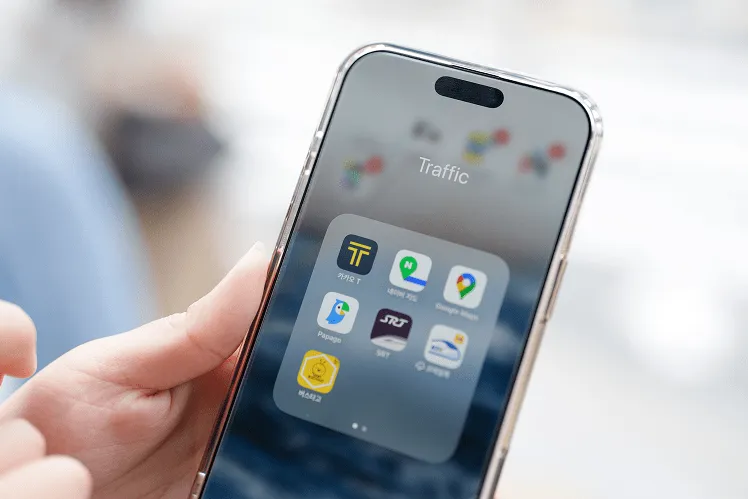
Why Connectivity Matters More in Korea Compared to Other Countries
South Korea boasts one of the world’s fastest mobile internet speeds, with nearly every aspect of daily life fully digitalized. As of 2024, Korea’s average mobile download speed reached 145.5 Mbps, ranking 3rd globally. Everything from public transportation and reservations to restaurant waiting lists and tourist attraction ticket purchases is done through mobile apps. Especially in Korea, the shift toward a cashless society is happening rapidly. As of 2023, 93.6% of all payments were made using non-cash methods. This means that stable data connectivity is essential for anyone traveling in Korea.
Free Wi-Fi Is Common, but Not Truly “Unlimited Everywhere.”
The Korean government provides widespread free Wi-Fi in public areas (such as Public WiFi@Seoul, KT WiFi, etc.). You can access free Wi-Fi in more than 300 subway stations in Seoul and at major tourist spots. However, in reality, the connection process can be complicated (often requiring verification for foreigners), the speeds can be slow, and security may be weak. In particular, free Wi-Fi is much harder to find in restaurants, alleys, temples, and small cities outside of Seoul than in the capital.
Data is Essential for Using Korea-Specific Apps. Why?
When traveling in Korea, it is best to use Naver Map or KakaoMap instead of Google Maps, and these apps require a constant real-time data connection. Kakao T (Kakao Taxi) is the most widely used cab-booking app in Korea, with 12 million monthly active users as of 2024. Since calling a taxi on the street is not always effective, and even locals heavily depend on the app, it’s far more convenient to book a cab through the app using mobile data.
Understanding Korea’s Telecom Industry
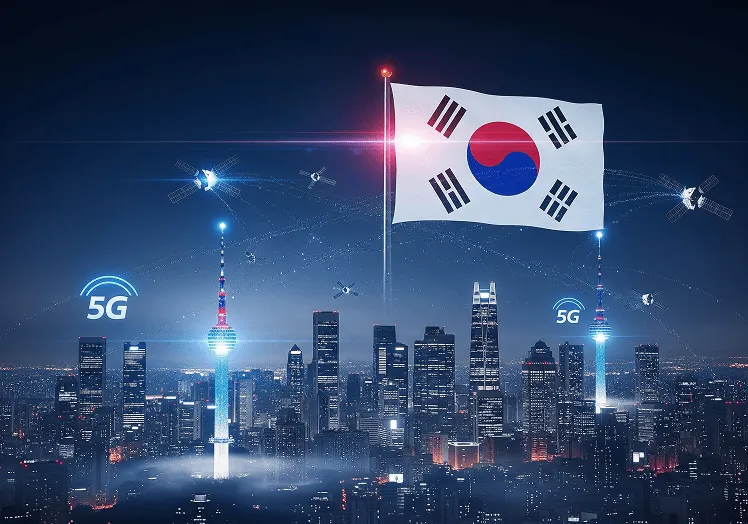
Korea’s Three Major Mobile Carriers (SK Telecom, KT, LG U+)
Three major operators dominate Korea’s mobile network market. The following table provides details about these major companies.
| Carrier | Market Share | Key Features |
|---|---|---|
| SKT | 45.2% | Widest coverage; strongest performance in rural and mountain regions |
| KT | 29.8% | Fastest speeds in urban areas; stable inside subways and buildings |
| LG U+ | 25% | Great value for money; offers a variety of foreigner-friendly plans |
Coverage Characteristics by Carrier
- SK Telecom (SKT) offers 99.9% nationwide coverage and remains stable even in mountainous regions such as Seoraksan and Jeju’s oreums.
- KT offers the fastest network speeds in major cities like Seoul and Busan, and boosts strong signal performance even in subways and large shopping malls.
- LG U+ offers the most diverse prepaid SIM options for foreign travelers, optimized for popular tourist areas such as Incheon Airport, Myeongdong, and Hongdae. On Jeju Island, KT and SK Telecom provide the best overall coverage.
All SIMs and eSIMs Ultimately Connect to one of These Three Networks
Every SIM or eSIM product that travelers purchase works by reselling (MVNO) the network of one of the three major carriers above. For example, brands like ESIMKOREA.net do not operate their network; instead, they obtain data by contracting with SK Telecom, KT, or LG U+ for their services.
Therefore, when choosing an eSIM brand, it is essential to verify which carrier network it utilizes. Some low-cost eSIMs only support LTE or may switch to a roaming partner network in certain areas, which can result in slower speeds. Therefore, ensure that you verify this information before making a purchase.
Three Ways to Stay Connected in Korea
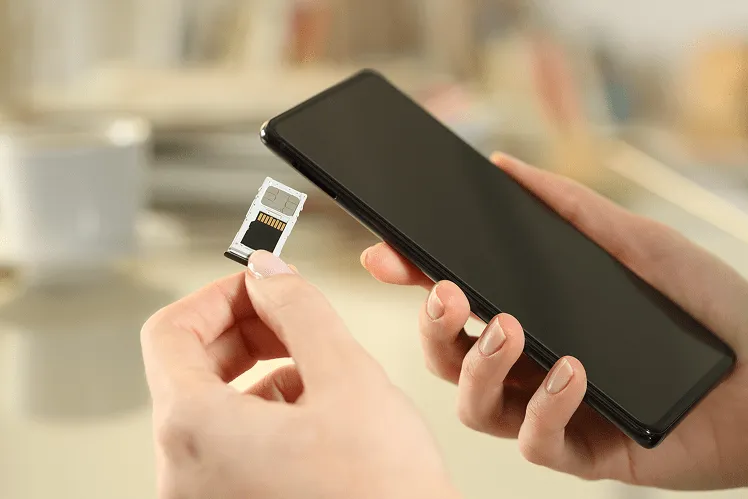
1. Buying a Physical SIM at the Airport
Incheon Airport Traveler SIM
At Incheon Airport Terminal 1 and Terminal 2 arrivals, you will find SIM card counters operated by KT Roaming Center, SK Telecom Travelers SIM, and LG U+ Travel SIM. Service is available in English, Chinese, and Japanese, and most booths operate 24 hours (some may close late at night).
Locations to Purchase Travel SIM at Incheon Airport
- Terminal 1: 1F Arrival between Exit 12-13 and 4-5
- Terminal 2: 1F Arrival gate between 4-5 and in front of Gate 7
The average price for a 5-day 5GB plan is $20-$23, and a 10-day plan with unlimited data would cost approximately $35-$40. The required documents for purchasing a physical SIM are your passport, and the activation time takes around 5-10 minutes.
2. Buy an eSIM (Activate before arriving in Korea)
Easy Activation & More Affordable Than International Roaming
With an eSIM, you can install your plan in under 5 minutes by scanning a QR code or using an app; no physical SIM card is needed. You can install it before boarding your flight or even during the flight and start using data the moment you land in Korea, without waiting at airport counters.
Compared to international roaming, eSIMs are 60–80% cheaper. For example, U.S. carriers typically charge $10–15 per day for roaming in Korea, while eSIM plans cost around $15–25 for 7 days.
Difference Between eSIMs With and Without a Phone Number
Most eSIMs are data-only, meaning they do not include a phone number. If you need to make voice calls or send SMS messages, you must use internet-based calling apps such as WhatsApp, Telegram, or KakaoTalk.
Some eSIM brands (such as AloSIM, Numero, etc.) offer virtual phone numbers, but these are international numbers (+1, +44, etc.), not Korean domestic numbers (010).
Therefore, they cannot be used for Korean SMS verification (delivery apps, memberships, reservations, etc.).
In case you require a Korean local number (010) for a hotel callback, restaurant booking, or delivery, you must complete identity verification either in person or online. For verification purposes, your passport information is required, and Korean mobile carriers restrict the number of phone numbers a foreign national can activate at one time.
3. Using a Physical SIM and an eSIM Together
Keeping Your Existing Number Active
Smartphones that support Dual SIM (such as iPhone XS or later, Galaxy S20 or later) allow you to use your existing physical SIM together with an eSIM. With this setup, you can receive calls and SMS on your original number while using data through the eSIM. This method is ideal for business travelers or long-term visitors who need to stay reachable by overseas banks, employers, or family, without incurring expensive international roaming fees.
Using eSIM only for Data
You can set it up as follows:
- iPhone: Settings → Cellular → Cellular Data → Select eSIM
- Android: Settings → Network & Internet → SIM Cards → Mobile Data → Select eSIM
Keep your primary voice line set to the original SIM and use the eSIM only for data. However, be cautious: if you leave “Allow Cellular Data Switching” enabled, your phone may automatically switch to roaming data on your original SIM when the eSIM data is used up.
Which Type of eSIM Should You Choose?
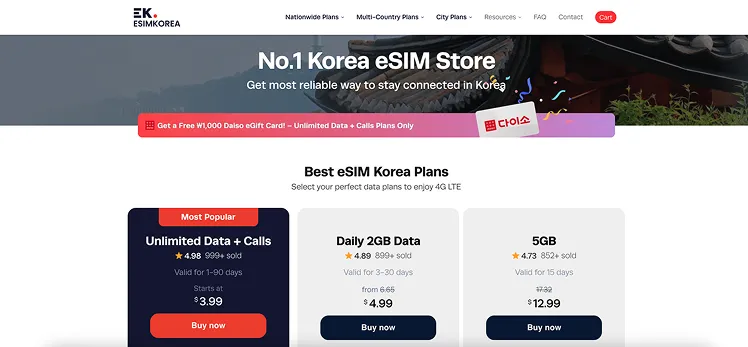
✔️ Type 1: Fixed Data Plan
Can you estimate how much data you will need for your entire trip? Or would you prefer to stay connected freely without worrying about limits? In either case, you can choose a plan that fits your needs and save money.
ESIMKOREA.net offers a variety of data plans ranging from 1GB to 30GB, allowing you to choose the option that best fits your needs during your trip to Korea. At 4G high speed, you can use as much data as you need. Are you worried about running out of data? Don’t worry. You can always top up whenever necessary, and here are the plans you can choose from:
| Data amount | Days | Price (USD) | Price per GB |
|---|---|---|---|
| 1GB | 7 days | $4.99 | $4.99 |
| 3GB | 7 days | $8.99 | $2.99 |
| 5GB | 15 days | $12.99 | $2.59 |
| 7GB | 15 days | $16.99 | $2.43 |
| 10GB | 20 days | $21.99 | $2.20 |
| 15GB | 30 days | $29.99 | $1.20 |
| 30GB | 30 days | $41.99 | $1.40 |
✔️ Type 2: Daily Data Plan (Unlimited)
ESIMKOREA.net also offers a daily data plan. The daily data plan offers a fixed amount of data that renews automatically at midnight each day. If your daily data usage remains consistent, this plan is the best choice. Even after you’ve used up your data allowance for the day, you’ll still be able to stay connected with unlimited 3G-speed internet access.
ESIMKOREA.net has 3 options for its Daily Data Plan. Choose the one that suits you best.
Plan Option
| Plan Option | 2GB Plan | 1GB Plan | 0.5GB Plan |
|---|---|---|---|
| Data | Daily 2GB with 4G LTE* | Daily 1GB with 4G LTE* | Daily 0.5GB with 4G LTE* |
| Recommended for | Best for Business & Media | Best for Social Apps & Web | Best for Maps & Chat |
*Unlimited at 3G speed afterward
Price by Plan and Days
| Days | 2GB Plan | 1GB Plan | 0.5GB Plan |
|---|---|---|---|
| 3 days | $9.99 | $6.99 | $4.99 |
| 5 days | $14.99 | $9.99 | $6.99 |
| 7 days | $18.99 | $12.99 | $8.99 |
| 8 days | $21.99 | $14.99 | $9.99 |
| 10 days | $25.99 | $16.99 | $11.99 |
| 12 days | $31.99 | $20.99 | $13.99 |
| 15 days | $36.99 | $24.99 | $16.99 |
| 20 days | $47.99 | $31.99 | $21.99 |
| 30 days | $69.99 | $43.99 | $29.99 |
✔️ Type 3: No-cap Unlimited Data Plan (with local number)
Do you want truly unlimited data with no speed limits? If so, ESIMKOREA.net’s Unlimited Data Plan is the perfect option for you. It connects to SKT, Korea’s No. 1 carrier, providing unlimited access to reliable 4G and 5G networks across the country without any speed drop. This plan also allows you to use a Korean local number (010). If you wish to use a delivery app and restaurant reservation, it is a great option.
📌 Key point to note
- Passport registration is required for real-name authentication to use a Korean number. It is worth noting that only one eSIM can be authorized for a passport.
- Korean passports are not authorised for real-name authentication
- If you don’t register your passport, you won’t be able to use a Korean local number and will be limited to data-only plans
Price Table
| Days | Price | Key Notes |
|---|---|---|
| 1 days | $3.99 | Unlimited Data Only |
| 2 days | $7.99 | Unlimited Data Only |
| 3 days | $10.99 | Unlimited Data Only |
| 4 days | $13.99 | Unlimited Data Only |
| 5 days | $16.99 | Unlimited Data Only |
| 6 days | $18.99 | Unlimited Data Only |
| 7 days | $20.99 | Unlimited Data Only |
| 8 days | $21.99 | Unlimited Data Only |
| 9 days | $22.99 | Unlimited Data Only |
| 10 days | $23.99 | Unlimited Data Only |
| 15 days | $32.99 | Unlimited Data Only |
| 20 days | $35.99 | Unlimited Data Only |
| 25 days | $42.99 | Unlimited Data Only |
| 30 days | $42.99 | Unlimited Data Only |
| 60 days | $63.99 | Unlimited Data Only |
| 90 days | $84.99 | Unlimited Data Only |
💡 Tip to decide if you need a domestic phone number
You will need a local phone number (010) if any of the following are essential for your needs:
- Receiving SMS for restaurant waiting lists
- Using delivery apps (Baemin, Coupang Eats)
- Receiving calls from taxi drivers after requesting a ride on Kakao T
- Hotel/guesthouse check-in callbacks
Major eSIM Brands Comparison at a Glance
| ESIMKOREA.net | Airalo | Holafly | Saily | Nomad | |
|---|---|---|---|---|---|
| Unlimited Data | ✅ | ✅ | ➖* | ❌ | ➖ |
| Price (7days Unlimited) | $20.99 | $29.5 | $29.9 | ❌ | $23 |
| 010 Local Phone Number | ✅ | ✅ | ❌ | ❌ | ❌ |
| Network | Local Network (SKT, LG U+) | Local Network (LG U+) | Roaming | Roaming | Roaming |
| City eSIM Plan | ✅ | ❌ | ❌ | ❌ | ❌ |
| Live Support | ✅ | ❌ | ❌ | ❌ | ✅ |
| 3-Month Money-Back Guarantee | ✅ | ❌ | ❌ | ❌ | ❌ |
| Exclusive Benefits | 🙆♀️* | ❌ | ❌ | ❌ | ❌ |
*➖: Unlimited with Speed cap
*🙆♀️: Free T-Money Card, 5 min Free Calls in Korea, Free Online Coupon Book for Korea Shopping & Fun
Detailed Brand-by-Brand analysis
ESIMKOREA.net
- Network: SKT or LG U+ (varies by plan)
- Average Speed: 4G/5G speed
- Price Example: 3GB & 7 days – $8.99 / Truly Unlimited 7 days – $20.99
- Pros: Korean eSIM specialty store (based in Korea), Local network, Local number, 24/7 agent support, Exclusive benefits (Free t-money, Daiso coupon, and so on)
- Cons: No application
Airalo
- Network: KT
- Average Speed: 50–100 Mbps (LTE), 100–200 Mbps (5G plans)
- Price Example: 3GB & 7 days – $9.00 / Unlimited 7 days with speed cap – $29.50
- Pros: Available in 200+ countries; very intuitive app
- Cons: Less optimized for Korea compared to ESIMKOREA.net. High-speed data exhaustion can cause stuttering due to speed limits
Holafly
- Network: LG U+
- Average Speed: 4G/5G
- Price Example: Unlimited 7 days- $29.9
- Pros: Stable speed in the city center, easy app installation
- Cons: Local phone number not available, speed limit, and price are relatively high
Saily:
- Network: LG U+, SKT, KT (Roaming)
- Average Speed: 4G/5G
- Price Example: 3GB & 30 days – $8.99
- Pros: Easy app installation and NordVPN Available
- Cons: No unlimited plan and no local phone number
Nomad
- Network: LG U+, SKT, KT (only roaming)
- Average Speed: 4G/5G
- Price Example: Unlimited 7 days – $23
- Pros: High speed and has a regional bundle plan for travel to multiple countries
- Cons: Local phone number not available
Physical SIM & eSIM Prices and Plan Structure
Korea’s Prepaid SIM Prices Are Higher Than the Asian Average
According to a 2023 study by Cable.co.uk, the average cost of mobile data in Korea is $5.01per per 1GB, which is about 30% higher than the Asian average of $2.59. Compared to countries like India ($0.16) and Italy ($0.09), Korea’s data prices are much higher. However, Korea offers 5G coverage to 97.8% of its population (ranked #1 in the world) and some of the fastest average speeds globally, making the quality-to-price ratio very strong.
Unlimited Plans = Daily High-Speed Limit + Speed Throttling Afterward
In Korea, “unlimited” data plans typically apply a Fair Usage Policy (FUP), which provides 1–5GB of high-speed data per day, after which speeds are reduced to 1–3 Mbps. This is implemented to prevent network congestion.
For example, Holafly’s unlimited plan offers high-speed data at 100 Mbps or more for the first 2GB per day, after which the speed is throttled to 1 Mbps. At 1 Mbps, you can still use KakaoTalk, maps, and basic web browsing, but watching YouTube at 720p or higher becomes difficult.
eSIM Compatibility Guide
eSIM-supported iPhone Models (XS and later)
eSIM support on Apple devices began with the 2018 iPhone XS, and all models listed below include this capability
eSIM Compatible iPhones:
- iPhone 17, 17 Pro, 17 Pro Max (2025)
- iPhone Air (2025)
- iPhone 16, 16 Plus, 16 Pro, 16 Pro Max (2024)
- iPhone 15, 15 Plus, 15 Pro, 15 Pro Max (2023)
- iPhone 14, 14 Plus, 14 Pro, 14 Pro Max (2022)
- iPhone SE (3rd gen, 2022)
- iPhone 13, 13 mini, 13 Pro, 13 Pro Max (2021)
- iPhone 12, 12 mini, 12 Pro, 12 Pro Max (2020)
- iPhone 11, 11 Pro, 11 Pro Max (2019)
- iPhone SE (2nd gen, 2020)
- iPhone XR, XS, XS Max (2018)
Recommended iOS: iOS 13.3 or later
Incompatible iPhones:
❌ All iPhones purchased in mainland China
❌ Hong Kong/Macau iPhones (except iPhone 13 mini, 12 mini, SE 2020, XS)
Check eSIM Compatibility
- Settings → General → About
- Scroll to Serial Number and IMEI
- Two IMEI numbers indicate dual SIM support (physical SIM + eSIM)
Samsung Phones that support eSIM
eSIM support on Android phones varies by manufacturer and model. Below are the main Samsung Galaxy devices that typically support eSIM.
eSIM-compatible Galaxy models:
- Galaxy S25 5G, S25 Ultra 5G, S25+ 5G, S25 Edge (2025)
- Galaxy S24 5G, S24 Ultra 5G, S24+ 5G, S24 FE (2024)
- Galaxy S23 5G, S23 Ultra 5G, S23+ 5G (2023)
- Galaxy S22 5G, S22 Ultra 5G, S22+ 5G (2022)
- Galaxy S21 5G, S21 Ultra 5G, S21+ 5G (2021)
- Galaxy S20, S20+, S20 Ultra 5G (2020)
- Galaxy Note 20, Note 20 Ultra, Note 20 Ultra 5G
- Galaxy Note 20+, Note 20 FE, Note 20 FE 5G
- Galaxy Fold, Z Fold 2, Z Fold 3, Z Fold 4 5G, Z Fold 5, Z Fold 6, Z Fold 7
- Galaxy Z Flip, Z Flip 3 5G, Z Flip 4 5G, Z Flip 5, Z Flip 6, Z Flip 7
- Galaxy A23 5G, A35 5G, A54 5G, A55 5G
Incompatible Galaxy Models
❌ All Samsung Galaxy S20 FE / S21 FE models
❌ US versions of Galaxy S20 / S21 and Galaxy Z Flip 5G
❌ Note 20 Ultra and Galaxy Z Fold 2 units purchased in the US or Hong Kong
Google Pixel
eSIM-compatible Google Pixel:
- Pixel 9, 9a, 9 Pro, 9 Pro XL (2024)
- Pixel 8, 8 Pro (2023)
- Pixel 7, 7 Pro (2022)
- Pixel 6, 6a, 6 Pro (2021)
- Pixel 5, 5a (2020)
- Pixel 4, 4a, 4 XL (2019)
- Pixel 3, 3 XL (2018)
- Pixel 3a, 3a XL (2019)
Incompatible Google Pixel Phones
❌ Pixel 3 models manufactured in Australia, Taiwan, Japan
❌ Pixel 3 purchased from US/Canadian carriers (except Sprint, Google Fi)
❌ Pixel 3a bought in Southeast Asia or from Verizon
Xiaomi
eSIM-compatible Xiaomi phones
- Xiaomi 15 (2025)
- Xiaomi 14, 14 Pro, 14T, 14T Pro (2024)
- Xiaomi 13, 13 Lite, 13 Pro, 13T, 13T Pro (2023)
- Xiaomi 12T Pro (2022)
- Redmi Note 14 Pro, 14 Pro+ (2024)
- Redmi Note 13 Pro, 13 Pro+ (2023)
- Redmi Note 11 Pro 5G (2022)
Incompatible Xiaomi phones
❌ All Xiaomi devices purchased in mainland China, Hong Kong, or Macau
Motorola
eSIM-compatible Motorola phones
- ThinkPhone 25 (2025)
- Moto G, G85, G55, G54, G53 5G, G35
- Moto G Power, G Stylus 5G
- Edge 50 Fusion, 50 Pro, 50 Neo, 50 Ultra
- Edge 40 Pro, 40 Neo, Edge+
- Razr 2024, Razr+ 2024, Razr 50
- Razr 40 Ultra, Razr 2022, Razr 2019, Razr 5G
Incompatible Motorola phones
❌ All Motorola devices purchased in mainland China, Hong Kong, or Macau
OnePlus
eSIM-compatible OnePlus
- OnePlus 13 (2025)
- OnePlus 12 (2024)
- OnePlus 11 (2023)
Incompatible OnePlus phones
❌ All OnePlus devices purchased in mainland China, Hong Kong, or Macau
For detailed information, visit ——-> Here
Check if Your Phone is Unlocked
To use an eSIM, your smartphone must be carrier-unlocked first. A carrier-locked phone works only with SIMs from its specific provider.
iPhone Unlock Check
- Go to Settings → General → About
- Check the field “Network Provider Lock.”
- “No SIM restrictions” → Unlocked ✅
- “Locked” → You need to request an unlock from your carrier
Samsung Unlock Check
Method 1:
- Go to Settings → Connections → Mobile Networks
- Select Network Operators
- If multiple networks appear → Unlocked ✅
- If only one carrier appears or network search fails → Locked
Method 2:
- Go to Settings → Network & Internet → Internet
- Select your SIM → Turn on “Choose network automatically.”
- If multiple carriers appear → Unlocked ✅
Other Android Unlock Check
- Dial *#06#
- If IMEI2 and EID are displayed, your device supports eSIM and is likely unlocked
How to Request an Unlock
- United States: Contact your carrier by phone or their website after completing your contract. Device unlocking typically requires 24–72 hours from most carriers.
- Europe: Most modern smartphones ship unlocked by default.
- Japan: Most smartphones sold after 2021 are unlocked by default.
Installation Methods: App-Based/ QR Code/ Manual
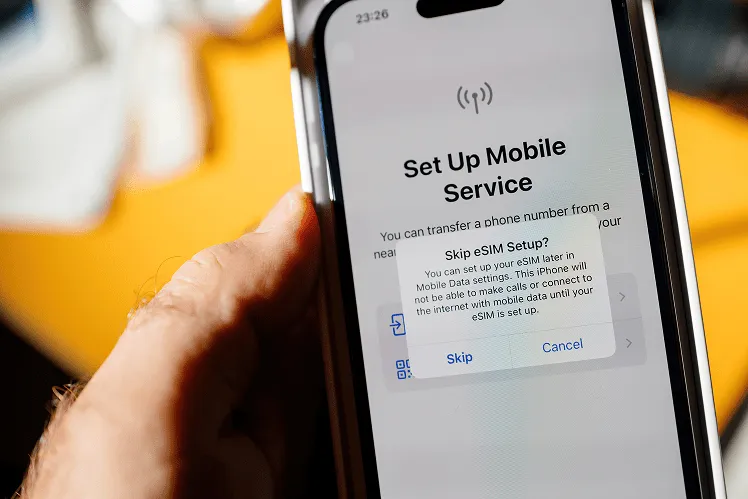
There are three ways to install an eSIM:
Method 1: QR Code Scan (Most Common)
- After purchasing the eSIM, open the QR code sent to your email on another device (such as a tablet or laptop).
- iPhone: Settings → Cellular → Add Cellular Plan → Scan QR Code
- Samsung: Settings → SIM Manager → Add eSIM → Scan QR Code
- Other Android Devices: Settings → Network & Internet → SIM Cards → Add eSIM → Scan QR Code
- Installation completes automatically within 1 to 3 minutes
Important: QR codes are often single-use, so save a screenshot. If you delete it accidentally, reinstallation may not be possible. Hence, you are requested to save it once you receive it.
Method 2: App-Based Installation (Airalo, Nomad, etc.)
- Download the eSIM provider’s app (App Store / Google Play)
- Sign up and purchase your Korea plan
- Go to “My eSIMs” → “Install eSIM“
- The app automatically adds the eSIM profile (no QR code needed)
Method 3: Manual Input (SM-DP+ Address)
If you don’t have a QR code, you can install the eSIM manually:
- iPhone: Settings → Cellular → Add Cellular Plan → Enter Details Manually
- Enter the following information:
- SM-DP+ Address (Subscription Manager Data Preparation Address): To download the eSIM profile securely, your device connects to the eSIM server address. (Example: rsp.esimkorea.net)
- Activation Code: A unique identification code (included in your email)
- Confirmation Code: Optional (only required by certain carriers)
SM-DP+ Address Explanation: The Subscription Manager Data Preparation Address (SM-DP+ address) is the server address used to securely download an eSIM profile to your device. It functions similarly to the ICCID of a physical SIM card and enables the carrier to remotely activate the eSIM.
Setting Data/Call/SMS Priority
When using Dual SIM, you can choose which SIM handles data, calls, and SMS.
Method for setting iPhone:
- Go to Settings → Cellular
- “Cellular Data“: Select the SIM used for data (example: ESIMKOREA.net)
- Default Voice Line: Select the SIM used for calls (recommended: your original number)
- Allow Cellular Data Switching: Turn off (Important! If left ON, your phone may automatically switch to roaming on your original SIM when your eSIM data runs out, leading to high charges.)
Method for setting Android devices:
- Go to Settings → Network & Internet → SIM Cards
- Mobile data: Select ESIMKOREA.net
- Calls: Select your original SIM
- SMS: Select your original SIM
- Automatic Data Switching: Disable
Check List
Before Departure
□ Check smartphone eSIM compatibility : (Settings → General → About → Ensure two IMEIs are shown)
□ Check if your phone is unlocked: (Settings → About → Look for “No SIM restrictions”)
□ Purchase and install your eSIM (save the QR code email)
□ Download Naver Map and KakaoMap
□ Prepare a small amount of Korean Won ($50–$100; use airport ATMs)
□ Print passport copy & hotel reservation (may be required at immigration)
After Arrival
□ Turn off airplane mode → Confirm eSIM activation (LTE/5G icon appears)
□ Set data priority to the ESIMKOREA.net
□ Open Naver Map → Allow GPS permissions
□ Buy and top up a T-money card (convenience store or airport)
□ Install KakaoTalk (essential for communication with locals)
□ Save emergency contact numbers (112 for Police, 119 for Ambulance, and 1330 Tourist Hotline(Interpretation))
Before Returning Home
□ Refund remaining T-money balance (convenience stores)
□ Check remaining eSIM data (top up if needed or expect throttling)
□ Delete saved hotel Wi-Fi passwords (security)
□ Keep duty-free purchase receipts (for customs)
□ Leave for the airport early by airport limousine/AREX (recommended: depart 3 hours before your flight)
Conclusion: The Smartest Way to Stay Connected in Korea
Staying connected in Korea is essential, whether you’re navigating with Naver Map, booking taxis through Kakao T, or simply staying in touch during your trip. If you want the most reliable, fastest, and locally optimized data experience, ESIMKOREA.net stands out as the best choice. Unlike international providers, they focus exclusively on the Korean market, offering plans that run on Korea’s top-tier networks with excellent coverage, stable speeds, and perfectly tailored support for local apps and travel needs. Whether you’re staying for a few days or over a month, choosing the right eSIM makes all the difference, and for Korea, ESIMKOREA.net is the most trusted and travel-friendly option. Enjoy your trip with smooth, fast, and secure connectivity from the moment you land.
Leave a Reply